 Notepad++ 8.5.6
Screenshots of Notepad++


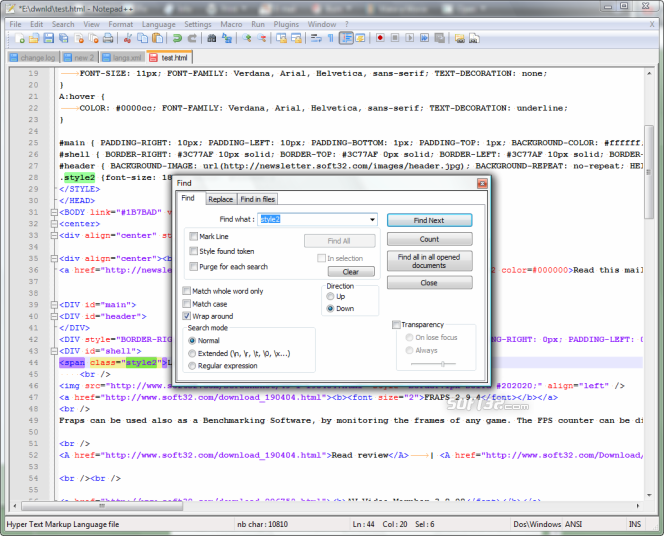

Notepad++ Editor's Review
Notepad++ is a great source code editor, but it also performs great as a Windows Notepad replacement. The application supports several programming languages and file-types, including C, C#, CSS, HTML, JavaScript, PHP, Ruby, SQL, and others. Even though Notepad++ detects the code language automatically, you might sometimes need to specify it manually. This can be done by using the "Language" main menu. The code highlighting is done depending on the language you choose.
After installing the program, I recommend you take some time to configure it. You can set it to remember the last opened files, to create automatic backups of all the files you save, or you can specify text printing preferences. It's also possible to set the colors which are used for code highlighting and the program's shortcut keys.
With just a few clicks, you can convert the encoding (ANSI, UTF8, UCS2) and format (MAC, Linux, Windows) of text documents. The "View" menu allows you to configure Notepad++ to show line ending characters, to show white-spaces, and even to show all the characters that normally wouldn't be shown in Windows Notepad. Notepad++ has a built-in HEX-editor, which you can use for editing binary files.
Among other things, the application supports block comments, function completion, TAB removal, and bookmarks. One of the most useful features is the macro recorder. It allows you to record key-presses and then play them back later. I used this feature for removing each second row from a text file and it worked flawlessly.
Pluses: Notepad++ has lots of great features and built-in tools. It also supports external plugins which can perform several text editing tasks. The ones I use the most are the XHTML, XML, and brace auto close, the text to HEX converter, the C++ code re-indent, the trailing space trimmer, FTP support and the case converter. If you have a little coding experience, you can write your own plugins because a SDK is available from the publisher.
Drawbacks / flaws:
In conclusion: As you can see, Notepad++ is much more than a simple text editor. Its features make it my favorite editor. Considering that the program is absolutely free, I invite you to try it yourself.
Notepad++ Publisher's Description
Notepad++ is a free (as in "free speech" and also as in "free beer") source code editor and Notepad replacement that supports several languages. Running in the MS Windows environment, its use is governed by GPL License.
Based on the powerful editing component Scintilla, Notepad++ is written in C++ and uses pure Win32 API and STL which ensures a higher...
Other Languages
Look for Similar Items by Category
Feedback
- If you need help or have a question, contact us
- Would you like to update this product info?
- Is there any feedback you would like to provide? Click here
Popular Downloads
-
 KaraFun Karaoke Player
2.6.2.0
KaraFun Karaoke Player
2.6.2.0
-
 Kundli
4.5
Kundli
4.5
-
 Macromedia Flash 8
8.0
Macromedia Flash 8
8.0
- FastSum 1.9
-
 FastSum Standard Edition
1.6
FastSum Standard Edition
1.6
-
 Cool Edit Pro
2.1.3097.0
Cool Edit Pro
2.1.3097.0
-
 Cheat Engine
6.8.1
Cheat Engine
6.8.1
-
 Hill Climb Racing
1.0
Hill Climb Racing
1.0
-
 My Talking Tom
1.0
My Talking Tom
1.0
-
 Tom VPN
2.2.8
Tom VPN
2.2.8
-
 Windows XP Service Pack 3
Build...
Windows XP Service Pack 3
Build...
-
 C-Free
5.0
C-Free
5.0
-
 GeoGebra
5.0.44
GeoGebra
5.0.44
-
 Netcut
2.1.4
Netcut
2.1.4
-
 Vidnoz AI
1.0.0
Vidnoz AI
1.0.0
-
 Vector on PC
1.0
Vector on PC
1.0
-
 Facebook Messenger
440.9.118.0
Facebook Messenger
440.9.118.0
-
 Grand Theft Auto: Vice City
1.0
Grand Theft Auto: Vice City
1.0
-
 Auto-Tune Evo VST
6.0.9.2
Auto-Tune Evo VST
6.0.9.2
-
 FormatFactory
4.3
FormatFactory
4.3